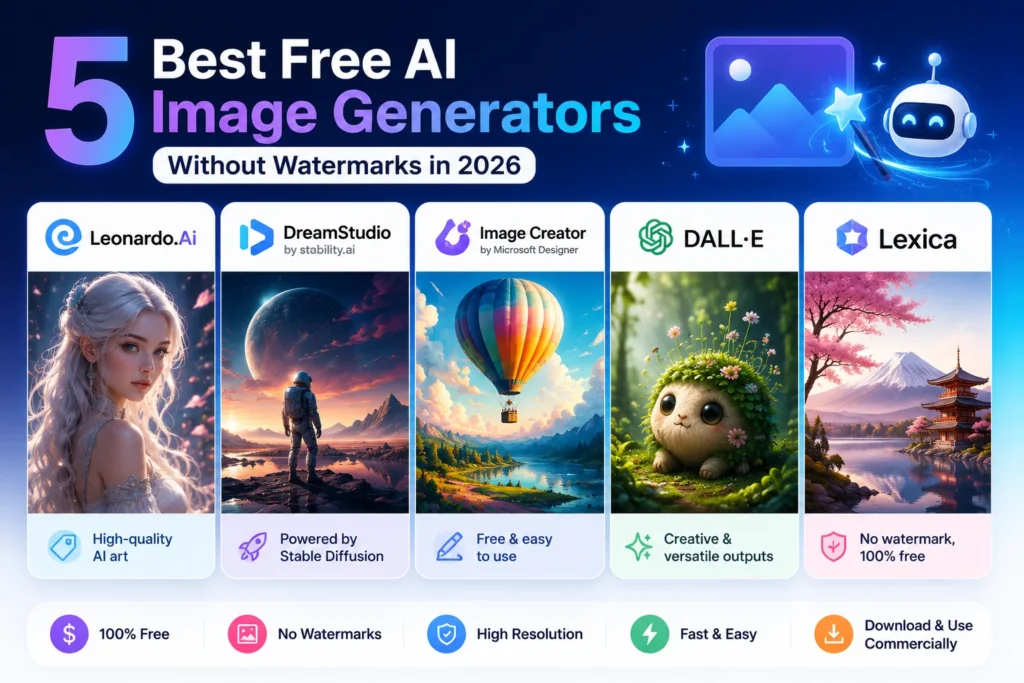
You spend 15 minutes crafting a great text-to-image prompt. The AI creates a stunning masterpiece and then… you look at it. A big, ugly watermark is plastered right in the center of your image.
In 2026, finding a completely free AI image generator with no restrictions is very difficult. Most platforms trap you with a “fake free” trial and force you to pay just to download a single watermark-free image.
If you need stunning visuals for your blog, business, or social media, you’ve come to the right place. We’ve tested dozens of platforms to bring you the best tools that offer a high-resolution, free AI image generator experience without any watermarks.
The “Fake Free” Trap: Why Most AI Tools Ruin Your Photos
The AI art industry relies on a “freemium” model. Tools like Midjourney and the standard DALL-E 3 require a monthly subscription. Others let you create images for free but slow down your image rendering speed or add a watermark to your final download.
To prove which tools are truly the best. We ran the “Sam Prompt Challenge.” We put this exact same prompt into every tool on our list:
- “A futuristic Indian city in 2050, neon lights, flying cars, 8k resolution, photo-realistic.”
Here are the top 5 tools that passed this test without any watermarks.
The “Same Prompt” Challenge: 5 Tools, 1 Result
1. Microsoft Designer (Image Creator) – The King of Accessibility
Microsoft Designer (powered by DALL-E 3) is incredible. However, it requires a Microsoft account. Once you sign in, it works as the best free AI art generator without a watermark or the hassle of logging in. It gives you 15 daily ‘boosts’ for faster generation provides, but even when they run out, it remains a completely free AI image generator with no restrictions. It just takes a few extra seconds to render.
2. Leonardo.ai – Best for photorealistic and commercial use
If you’re looking for a free alternative to Midjourney without a watermark, Leonardo.ai is undoubtedly the best. It offers 150 free daily tokens. Their ‘PhotoReal’ By choosing the model, it acts as a flawless, realistic AI image generator. For free and without a watermark. The best part? Leonardo explicitly grants commercial rights to the images you create. This means you can sell them or use them in advertisements.
Do you need a hyper-realistic professional headshot for your CV but don’t want to pay a photographer? Create an eye-catching background with Leonardo. And then you should build your CV using our guide to 7 Free AI CV Builders That Help You Land a Job Faster]
3. Playground AI / Flux.1 – The Free Choice of Professionals
Playground AI is a free, open-source AI image generator known as Stable Diffusion. Also allows you to use the new popular Flux.1 model. This requires a bit of prompt engineering knowledge, but its outputs are stunning. It’s the perfect watermark-free 4K text-to-image AI generator solution for users who want full control over aspect ratio and lighting.
Just as you need the right words to talk to an AI in our Step-by-Step Guide to Using ChatGPT to Practice English Conversation, prompt engineering is the language you must master here to get the best images.
4. SeaArt.ai – The Most Feature-Rich Midjourney Alternative
SeaArt.ai is a goldmine if you specifically need a free AI anime image generator without a watermark. It offers nearly unlimited credits through daily logins and tasks. It has specialized models for various digital art styles, allowing you to create consistent characters for storytelling or comics.
5. Adobe Firefly (Free Web Version) – Legally Safe and High-Quality
Adobe Firefly was trained specifically on licensed images, making it the safest free AI photo generator without a watermark for YouTube thumbnails. It gives you 25 generous generative credits per month. It’s perfect for adding text, changing backgrounds, and ensuring your channel is protected from any copyright strikes.
Legal Reality Check: Can You Use These Images for YouTube & Blogs?
A beautiful image is worthless if you have to face a lawsuit over it. The reality of AI and copyright in 2026 is this
Tools like Leonardo.ai and Adobe Firefly allow you to use your generated images commercially. You can put them on T-shirts, YouTube thumbnails, and blogs. In most countries (including the US and India). You cannot claim legal copyright ownership over an AI-generated image. Technically, anyone is free to download and use your AI image.
Just as you should be wary of plagiarism in written content. Which we have discussed in detail in our guide How to Rewrite Articles Using AI Without Losing the Original Meaning, which we have discussed in detail in our guide. You must respect the terms of service of whichever image generator you use.
Pro Tips to Remove “AI Weirdness” and Upscale Your Images
Even the best AI can sometimes create people with six fingers or blurry backgrounds. This is how professionals fix it.
You should use negative prompts. Always include a negative prompt box. . Type: “ugly, distorted, extra fingers, blurry, low resolution, bad anatomy.” This immediately cleans up the render.
If your tool creates a small image, don’t stretch it to make it bigger. Use a free image upscaling tool like Upscayl (open source) to upscale the photo to stunning 4K resolution without any loss of quality.
People Also Ask: Frequently Asked Questions
Is there really a 100% free AI image generator?
Using Microsoft Designer and a local installation of Stable Diffusion is 100% free. Web-based platforms like Leonardo.ai offer a generous daily allocation of free tokens that resets every 24 hours.
Can I use AI-generated images for commercial purposes?
This depends on the platform’s terms of service. Leonardo.ai and Adobe Firefly explicitly allow commercial use, while some smaller free tools limit use to personal projects only.
Which AI generator is best for realistic human photos?
The platforms currently hosting the Leonardo.ai and Flux.1 models are the best for creating hyper-realistic, photographic humans without a “plastic” AI look.
How can I create AI images for free without a watermark?
You should avoid “freemium” trial sites that lock downloads behind a paywall. You should only use the 5 tools listed in this guide (Microsoft Designer, Leonardo, Playground, SeaArt, Firefly) that allow you to download clean, watermark-free images directly.
Are AI-generated images copyrighted?
Under existing legal standards in most jurisdictions, AI-generated images cannot be copyrighted by the prompt author because they lack “human authorship.” They exist in the public domain.